
Getting started
WoWS beginner guide: how to start
Settings, first lines, resources, and progression.
Read the beginner guide →When starting out, a few minutes can secure the right invite offer, recruitment rewards while you remain below 100 battles, and bonus codes that may still be valid.
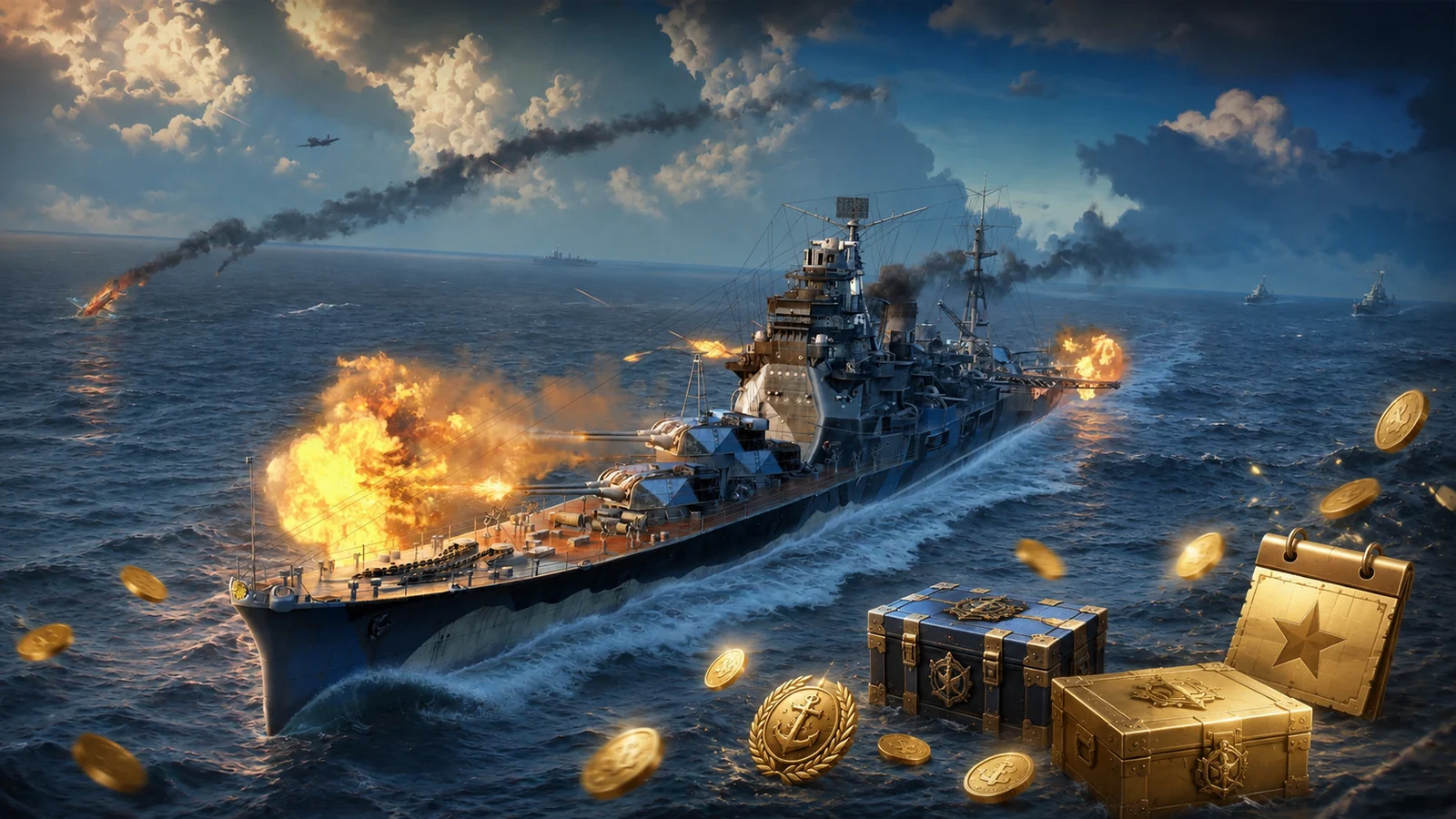
If you are creating a new account today, pick the correct region, enter your invite code during registration, sign in to the new account and accept the recruitment link, then test the bonus codes that are still active. The order matters because some offers are limited to new or barely-used accounts.
Before playing again, check 2026 returning-player rewards, the eligibility checker, and the code vs recruitment-link guide.
The video shows the complete order: invite code, account creation, recruitment link and bonus codes to test afterwards.
World of Warships regions are separate. If you play from Europe or mainly with European players, use the Europe server. Your progress is not simply moved from EU to NA or ASIA afterwards.
Also make sure you are creating a genuinely new account. Invite codes are meant for this stage and are not the same thing as bonus codes that can be activated later.
As of 7 August 2026, IMPACTFORCE is the strongest overall option among the offers we could verify directly. World of Warships still has an official promotional page for it.
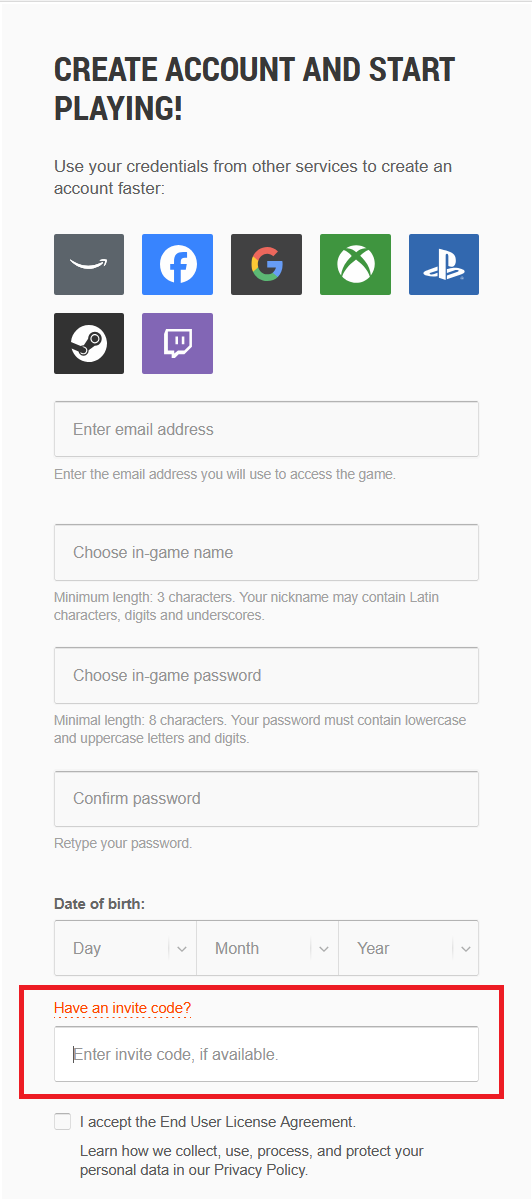
Create a World of Warships account on Wargaming →
The offer lists immediate rewards including:
It also unlocks a mission chain that can provide:
Several historical codes are still regularly reported as working by the community. Availability can change by region and campaign. If IMPACTFORCE is rejected, treat these as alternatives to test before you commit to your account setup.
| Code | Reported rewards | Why consider it |
|---|---|---|
| IMPACTFORCE | 20 Premium days, Tenryū III, 6-point Commander, missions toward Boise VII, Supercontainers and large resource rewards. | Best overall choice |
| PEARLHARBORAZ1941 | Arizona, an American Tier VI Premium battleship. Still reported as working on EU/NA in 2026. | Strong if you specifically want a Tier VI Premium immediately |
| FIRE | Historically linked to Texas V, 200 Doubloons, 7 Premium days and 1,000,000 Credits. | Backup option if better offers fail |
| HMSBELFAST | Historically linked to Dreadnought III, several low-tier British ships, Premium time and Credits. | British starter bundle |
For FIRE and HMSBELFAST, the rewards above come from historical community-tracked offers. Do not assume they are guaranteed today. If a code is rejected, simply move on to the best currently accepted option.
2026 community discussion of IMPACTFORCE and PEARLHARBORAZ1941 ↗
The invite code gives the new account its starter offer. The recruitment link is a separate system that lets the new player join another player's Recruiting Station.
The sensible order is therefore: create the account with the invite code first, confirm the email address and sign in, then open the recruitment link while using that same account.
Since Update 14.8, a new player can join the Recruiting Station while remaining below 100 battles. That gives much more breathing room than before, but waiting offers no benefit.
Once your new account has been created and you are signed in, use the link below to join my Recruiting Station if your account is eligible.
You can also read the new-player recruitment rewards page for the detailed eligibility and reward path. For the full program, eligibility rules and rewards, see WoWS referral rewards.
Update 14.8: new-player threshold increased to 100 battles ↗
Bonus codes are different from invite codes. They are activated on an existing account, and several different codes can be tested one after another.
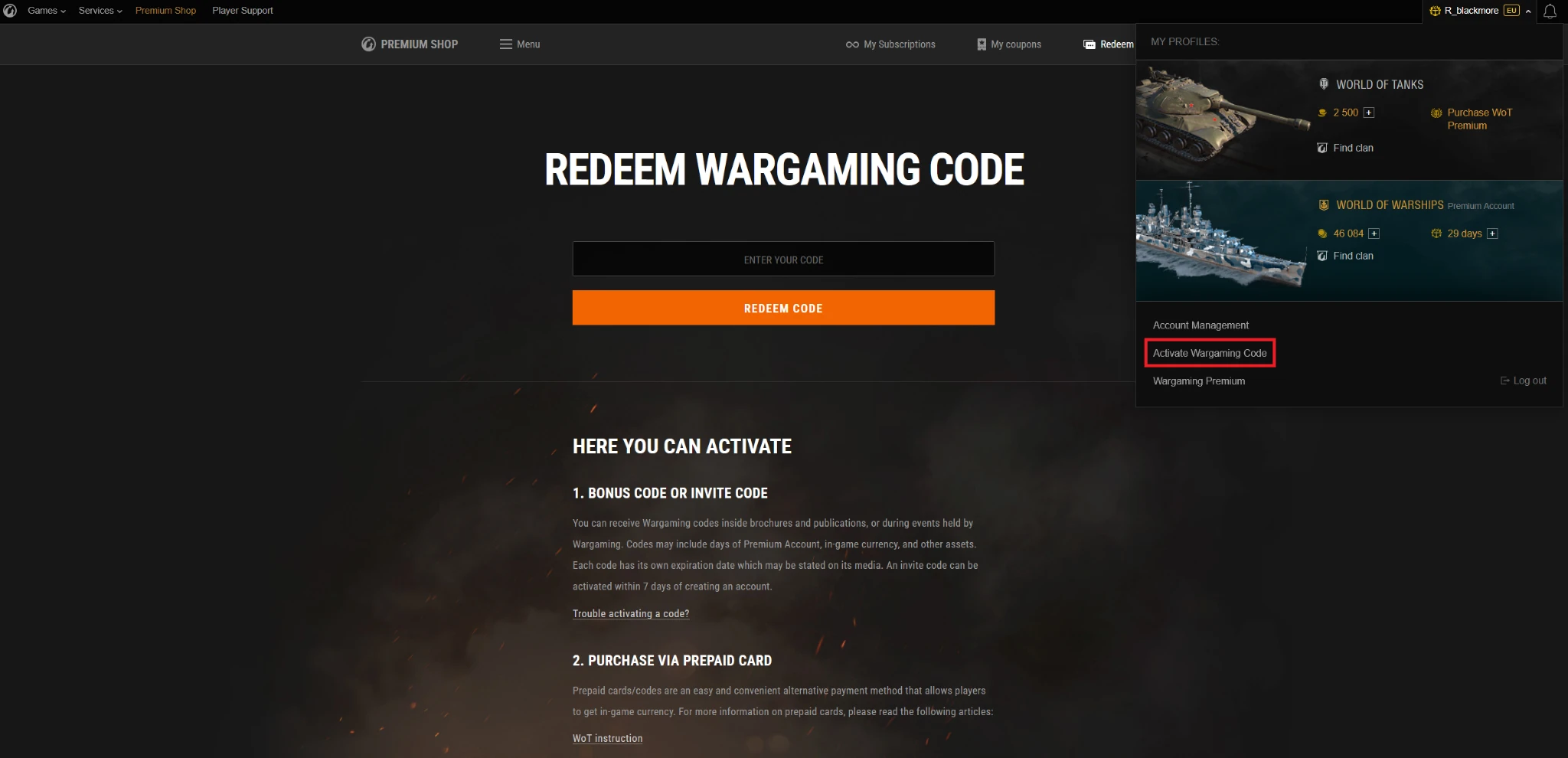
Depending on the campaign, they may unlock missions, Premium time, containers, Credits, Coal, signals, economic bonuses or other rewards.
Do not test only codes published today. Some expire within hours, while others remain usable for weeks or months. On a fresh account, it makes sense to test older codes that are still reported as active.
Not necessarily. If the account was only just created, immediately check whether the invite offer can still be activated. Some Wargaming offers allow a short grace period, but entering the invite code during registration remains the safest method.
For recruitment, the current new-player threshold gives more room: fewer than 100 battles. If you are still below it, activate recruitment now.
Regular bonus codes are independent of account creation, so you can continue testing them for as long as they remain valid for your region.
| System | When to use it | How many |
|---|---|---|
| Invite code | When creating the new account | Choose one starter offer |
| Recruitment link | After account creation, while the account is still eligible | One Recruiting Station |
| Bonus codes | Once the account exists | Multiple codes can be tested |
For a more detailed comparison, also read bonus codes, invite codes and recruitment links for new and returning players.
Settings, first lines, resources, and progression.
Read the beginner guide →
Codes, missions, daily containers, events, and Twitch Drops.
See free bonuses →
How the Recruiting Station works and who is eligible.
See recruitment rewards →